
— Your Healthcare. Connected.
Tell us your need.
Find care that
responds to you.
Need a doctor, lab or hospital? Fill one request form. Nearby sellers review it, and those who accept appear in your account with their offers.For medicines, browse Pharmacy or upload a bill, medicine image or prescription.
Select medicines & add to cart
Prescription check in cart
Pharmacist verification
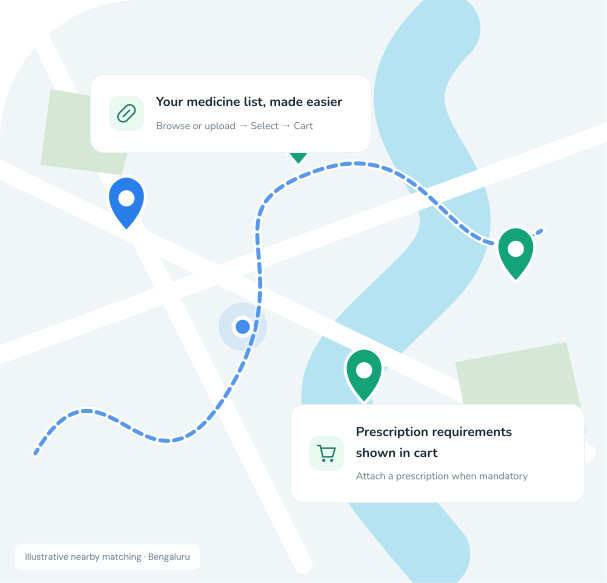
Request care from nearby sellers
Start with your requirement.
Nearby sellers receive your request. Accepted sellers and their offers appear in your account.
Healthcare Services
Request care from nearby sellers, or shop medicines from Pharmacy.
pill
Order Medicines
Browse medicines or upload your bill, medicine image or prescription.
local_hospital
Request Hospital Care
Share your service, treatment or planned admission requirements.
Bill / medicine image / prescription
My requests & seller responses
My health records
— HOW MEDOCR CONNECTS YOUR CARE
Your request first.
Nearby sellers respond next.
Fill in your requirements, patient, preferred mode, date, location and optional budget.Nearby sellers receive the request in their seller accounts. Sellers who accept and respond appear in your account with their availability and offer.
- One form for your care requirement
- Nearby sellers review before appearing
- Choose from accepted seller responses
-
STEP 01 You submit a request Your need, patient, preferred time and location.
-
STEP 02 Nearby sellers receive it Matching sellers review the requirement in their accounts.
-
STEP 03 Sellers accept & respond Only accepting sellers become visible to you.
-
STEP 04 You review your options Compare their offers and choose a seller in My Requests.
Sellers appear after accepting your request.
Today's Offers
Sample offers · Check eligibility before applying
— DEMO OFFER · WELCOME10
A fresh start.
A little saving.
10% off your first demo booking or
order. Maximum ₹150. Minimum ₹300.

— DEMO OFFER · LABCARE15
Check in on
your wellbeing.
15% off lab tests and packages.
Maximum ₹200. Minimum ₹500.
— DEMO OFFER · CARE50
Everyday care
A little less.
₹50 off pharmacy orders of ₹499 or
more
Medicines & everyday essentials
Browse categories, choose your medicines and review prescription requirements in the cart.


2baconil 4mg nicotine gums for quit smoking / tobacco (for more than 20 cigarette/day smoker) mint
Anti Smoking Products
₹386.2
— YOUR NEED. YOUR PREFERENCES.
Already have a prescription or report?
Attach it to your service request and describe what you need. Compare responses before choosing a provider.
Choices made clearer
Compare price, availability and what is included.
Care for the family
Keep family profiles and bookings in one place.
Your records, together
Find your uploaded files and consultation documents.
You stay in control
Review the details before confirming your care.
Download the MedOCR App
Your Health, In Your Hands
- Order medicines in a few taps
- Upload prescriptions & get reminders
- Exclusive app offers & discounts
- Track orders & manage easily
Scan to Download
Get the app now
Understand your next step
Care starts
with your need.
Know how requests, seller responses and medicine ordering work.
Help & supportCan I directly book a doctor, lab or hospital?
Yes. Browse doctors, labs or hospitals to book directly, or send a request and review responses from nearby sellers.
Where do I see accepted sellers?
Accepted sellers and their offers appear in your account, where you can review the details before choosing.
How do I order medicines?
Browse medicines, add what you need to your cart, and upload a prescription if the medicine requires one.
Is a bill or medicine image a prescription?
No. A bill or medicine image can help identify products, but prescription medicines still require a valid prescription.
Does this preview contact sellers or take payments?
No. This section is informational. Submit a request or place an order through the relevant service to continue.