
N/A

Continue straight
Follow the road
You have reached the destination
Your journey is complete.
Loading map...
Navigating to
Distance remaining
Calculating…
Estimated time
Calculating…
Waiting for GPS…
Review the extracted data below. You can edit and manage it before sharing
Review the extracted data below. You can edit and manage it before sharing
Supported Formats:JPG,JPEG,PNG
Maximum File Size 1 MB
Supported Formats:JPG,JPEG,PNG
Maximum File Size 1 MB


Review the extracted data below. You can edit and manage it before sharing.
Share your requirements. Nearby doctors review and respond. Compare accepted offers in your account.
How MedOCR connects your care
Fill in your requirements, patient, preferred mode, date, location and optional budget. Nearby sellers receive the request in their seller accounts. Sellers who accept and respond appear in your account with their availability and offer.
STEP 01
You submit a request
Your need, patient, preferred time and location.
STEP 02
Nearby sellers receive it
Matching sellers review the requirement in their accounts.
STEP 03
Sellers accept & respond
Only accepting sellers become visible to you.
STEP 04
You review your options
Compare their offers and choose a seller in My Requests.
Sample offers · Check eligibility before applying
Demo offer · WELCOME10
10% off your first demo booking or order. Maximum ₹150. Minimum ₹300.
View offer → sellDemo offer · LABCARE15
15% off lab tests and packages. Maximum ₹200. Minimum ₹500.
View offer → sellDemo offer · CARE50
₹50 off pharmacy orders of ₹499 or more.
View offer → sellAccepted responses are linked to your submitted request
Start with a request to see your options
Nearby providers appear here after they accept and respond to your requirements
One place for your medicines, requests and health records
Easy medicine ordering
Browse products or upload a document.
Offers from accepting providers
Compare the responses to your request.
Care for your family
Keep patient profiles organised.
Connected records
Find your documents when you need them.
Your Health, In Your Hands
Scan to Download
Get the app now
Understand your next step
Know how requests, seller responses and medicine ordering work.
Help & supportAnswer text here.
Answer text here.
Answer text here.
Answer text here.
Answer text here.
Select as per your Preference
Select Delivery Address
Choose where you want your medicines to be delivered.

Home (Default)
House no 12,piplani petrol pump,Bhopal
Bhopal, Madhya Pradesh- 462022, India
Phone Number: +91 7890123567
Office
House no 12,piplani petrol pump,Bhopal
Bhopal, Madhya Pradesh- 462022, India
Phone Number: +91 7890123567
Parent's Address
House no 12,piplani petrol pump,Bhopal
Bhopal, Madhya Pradesh- 462022, India
Phone Number: +91 7890123567
Parent's Address
House no 12,piplani petrol pump,Bhopal
Bhopal, Madhya Pradesh- 462022, India
Phone Number: +91 7890123567
Edit Your Address
Request has been sent successfully :)
You will be notified of the offers from doctors
Date & Time: 12/05/2025 14:40
Order No: #3454645
Searching for
Doctor
List will appear within 1 min. Don't close the page.
Order Details

Dr Ritika Singh

4.3

MBBS, MD (Dermatelogy)
12 Years Experience
Female Doctor
Order #R32512
24/04/2025 - 03:34 PM
6km away
20 minutes
Appointment
24/04/2025 - 4 to 6 PM
Location
Andheri E - 416001
Clinic
Pay directly to the doctor
Why do you want to cancel ?
Earn 2.8 Credit points on this service completion.
Change of mind.
Found a better price elsewhere.
Service provider not available on appointment
Wrong selection / Made a mistake in request
Service provider told me to cancel
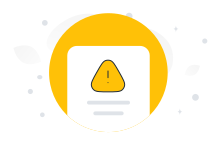
You have done ___(x) out ___(y) free cancellations in this month , charges applicable beyond free cancellations.
17-Dec-2025
Order Request Cancel ?
Are you sure? do you want
to
cancel your order ?
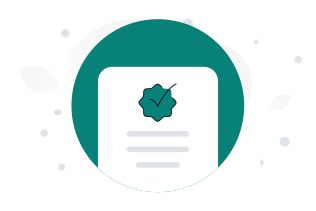
Successfully
Your Enquiry Has Been Successfully cancelled ! Enquiry ID: 854455
Share your requirements. Nearby hospitals review and respond. Compare accepted offers in your account. Create hospital request
Fill in your requirements, patient, preferred mode, date, location and optional budget. Nearby sellers receive the request in their seller accounts. Sellers who accept and respond appear in your account with their availability and offer.
Your need, patient, preferred time and location.
Matching sellers review the requirement in their accounts.
Only accepting sellers become visible to you.
Compare their offers and choose a seller in My Requests.
Sample offers - Check eligibility before applying
10% off your first demo booking or order. Maximum ₹150. Minimum ₹300.
15% off lab tests and packages. Maximum ₹200. Minimum ₹500.
₹50 off pharmacy orders of ₹499 or more.
Accepted responses are linked to your submitted request.
Nearby providers appear here after they accept and respond to your requirements.
One place for your medicines, requests and health records.
Browse products or upload a document.
Compare the responses to your request.
Keep patient profiles organized.
Find your documents when you need them.
Your Health, In Your Hands
Know how requests, seller responses and medicine ordering work.
Help & supportMedicine ordering, your way
Search medicines and categories, or upload a bill, a medicine image or a prescription. Select the matching medicines and quantities, then add them to your cart.
Step 01
Choose medicines from categories, a bill, medicine photo or prescription.
Step 02
Review the exact medicine, pack and quantity before adding.
Step 03
A bill or medicine image does not replace a prescription.
Step 04
Required prescription attachments are verified by the pharmacist.
Sample offers · Check eligibility before applying
Demo offer · Welcome10
10% off your first demo booking or order. Maximum ₹150. Minimum ₹300.
View offer →Demo offer · Labcare15
15% off lab tests and packages. Maximum ₹200. Minimum ₹500.
View offer →Demo offer · Care50
₹50 off pharmacy orders of ₹499 or more.
View offer →Upload it, review the matching medicines and add your selection to cart.
Availability is confirmed for your delivery location.
This preview uses sample products. Live pharmacy coverage will come from your existing backend.
Happy Customers
Partner Pharmacies
Medicines
Support
Authentic Products

Verified Buyer
Very fast delivery and genuine medicines. MedOCR is my go-to app for all my healthcare needs.

Verified Buyer
Great offers and super convenient. Love the prescription upload feature!
Verified Buyer
Reliable and trusted platform. Delivery is always on time.
Verified Buyer
Best customer support and wide range of medicines available.
Order has not been delivered by Seller.
Don't worry — we're finding you a alternative.
Need a quick replacement?
"The seller cancelled your order. As a courtesy, we are waiving our platform fee for your next order. We value your time!"
Review the extracted data below. You can edit and manage it before sharing
Upload Medicine Pictures
Upload clear pictures of the medicine strip or bottle so we can identify it for you.
Review the extracted data below. You can edit and manage it before sharing
Supported Formats:JPG,JPEG,PNG
Maximum File Size 1 MB
Supported Formats:JPG,JPEG,PNG
Maximum File Size 1 MB
Share your requirements. Nearby labs review and respond. Compare accepted offers in your account.
How MedOCR connects your care
Fill in your requirements, patient, preferred mode, date, location and optional budget. Nearby sellers receive the request in their seller accounts. Sellers who accept and respond appear in your account with their availability and offer.
Step 01
Your need, patient, preferred time and location.
Step 02
Matching sellers review the requirement in their accounts.
Step 03
Only accepting sellers become visible to you.
Step 04
Compare their offers and choose a seller in My Requests.
Sample offers · Check eligibility before applying
Demo offer · Welcome10
10% off your first demo booking or order. Maximum ₹150. Minimum ₹300.
View offer →Demo offer · Labcare15
15% off lab tests and packages. Maximum ₹200. Minimum ₹500.
View offer →Demo offer · Care50
₹50 off lab tests and packages of ₹499 or more.
View offer →Accepted responses are linked to your submitted request.
Nearby providers appear here after they accept and respond to your requirements.
One place for your medicines, requests and health records.
Browse products or upload a document.
Compare the responses to your request.
Keep patient profiles organized.
Find your documents when you need them.
Select as per your Preference
Select Delivery Address
Choose where you want your medicines to be delivered.
Edit Your Address
Request has been sent successfully :)
You will be notified of the offers from Labs
Date & Time: 12/05/2025 14:40
Order No: #3454645
Searching for Labs .....
List will appear within 1 min. Don't close the page.
Order Details

RedLab Diagnostics
4.3
Order #R32512
24/04/2025 - 03:34 PM
6km away
20 minutes
Appointment
24/04/2025 - 4 to 6 PM
Location
Andheri E - 416001
Visit Lab
Pay directly to the Lab
Why do you want to cancel ?
Earn 2.8 Credit points on this service completion.
Change of mind.
Found a better price elsewhere.
Service provider not available on appointment
Wrong selection / Made a mistake in request
Service provider told me to cancel
You have done ___(x) out ___(y) free cancellations in this month , charges applicable beyond free cancellations.
17-Dec-2025
Order Request Cancel ?
Are you sure? do you want
to
cancel your order ?
Successfully
Your Enquiry Has Been Successfully cancelled ! Enquiry ID: 854455
 100% Secure
Your Health Partner
"Almost there! Verify your number to continue."
Access your orders, special offers, health tips and more!
By continuing, you agree to our Terms of Use and Privacy Policy
We have sent a 6 digit OTP to
+91 9876543210
Resend available after timer ends
lock Your OTP is secured with 256-bit encryption
By continuing, you agree to our Terms of Use and Privacy Policy
Complete your verification to unlock all features and start placing orders on Drodo.
Your account is now fully verified. You can access all features on Drodo — order medicines, book tests, and more.